It’s 7.45 am. An employee is due to start at 8 am but is stuck on a delayed train. They call their team leader, who’s in a meeting and can’t talk. By the time the message reaches the real-time team and someone updates the schedule, the shift may already have started.
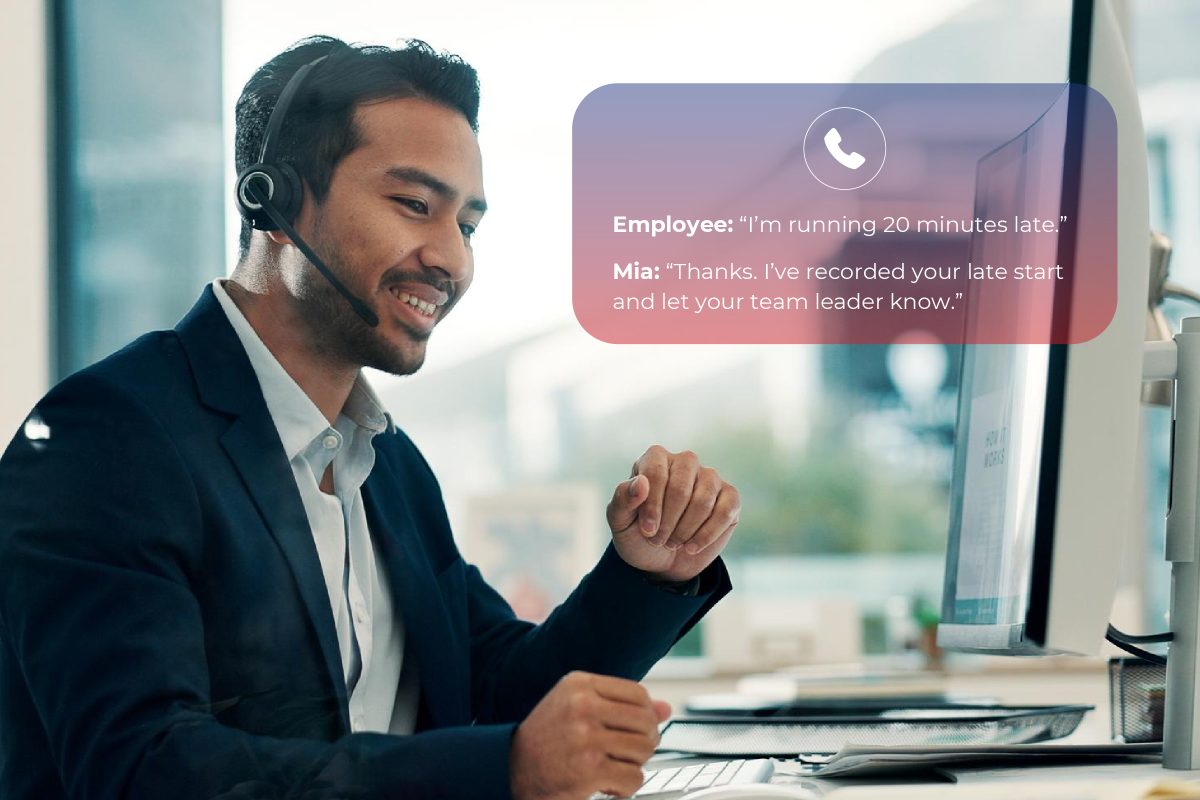
With Call Design Companion, the employee can call Mia (a voice AI agent) and say, “I’m running 20 minutes late.” Mia captures the details, records the late start in Aspect Workforce Management (WFM) and notifies the relevant people. The employee has reported the delay, and the real-time team and team leader are notified and the schedule is updated, all in a matter of seconds.
What employees can do with Mia
Mia is Call Design’s employee-facing voice/text AI agent. Employees can speak naturally or text to check their schedule, report a late start or sick day, or submit a leave request.
- Check a shift. An employee can ask, “What time do I start tomorrow?” Mia looks up their schedule in Aspect WFM and reads back the relevant details.
- Report lateness or sickness. An employee can say, “I’m sick and won’t be in today.” Mia captures the details and records the relevant absence or late segment in Aspect WFM. Team leaders and real-time analysts can be notified through the configured workflow.
- Request leave. An employee can also check their leave balance and apply for leave. Mia provides them with their leave balance, captures the dates they want for leave and submits the request into the Aspect WFM workflow. Mia confirms that the request has been submitted. The outcome follows the organisation’s configured rules and approval process.
How Call Design Companion works with Aspect WFM
Aspect WFM holds the employee schedule and manages the workforce rules and request workflows around what employees can do with their schedule. Call Design Companion gives employees a voice channel into those everyday processes. When an employee asks about a shift, the voice AI agent, Mia, reads from the schedule and responds to the agent’s questions. When they report a late start or sick day, Companion writes the relevant update to the schedule. When they ask for planned leave, the AI agent submits the request for processing.
That distinction matters on the day. A sick call is an immediate staffing change the real-time team needs to see as quickly as possible. A request for annual leave next Friday is something that needs to go through a number of checks before being approved. Each conversation leads to the appropriate action in Aspect WFM with the agent’s schedule being updated automatically if approved.
What changes for the real-time team?
A late start is easy to capture when one person calls. When several people are delayed or off sick before the same shift, the team can spend valuable time checking messages, relaying information to team leaders and entering schedule updates. That’s time that could be used more effectively elsewhere.
With Aspect Intraday Performance Reports, Real-Time Analysts can see which intervals are impacted and decide whether to move an offline activity, ask for extra coverage or monitor how demand develops. Team leaders can spend less time passing on messages, and employees have a straightforward way to report a change when they’re away from their desk.
If your teams use Aspect WFM and still handle late starts, sick calls or schedule questions through phone messages and chats, talk to Call Design about how Companion could fit your existing process. We can walk through an employee call and show what the team sees in Aspect WFM. Contact Call Design.